

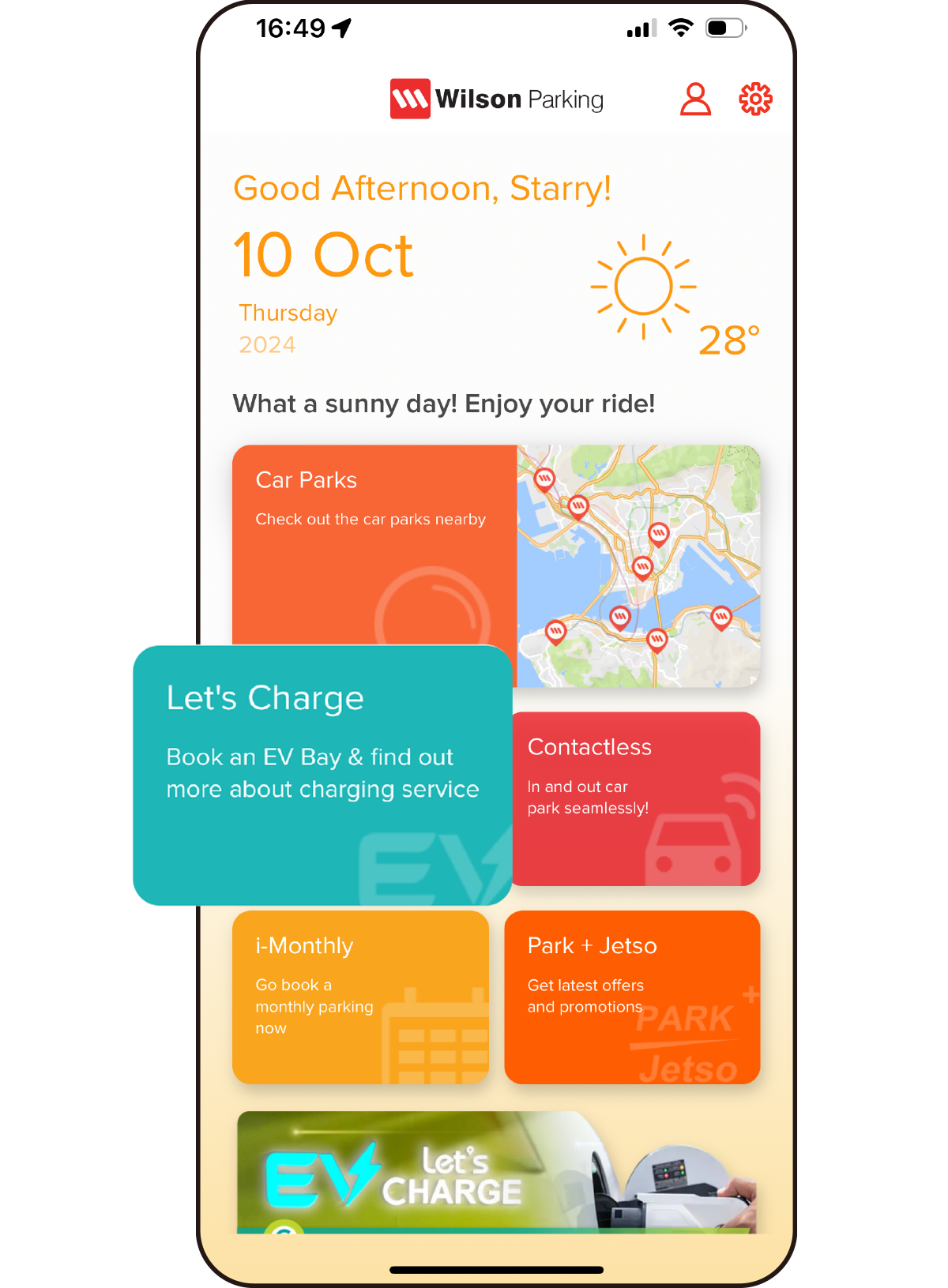
1) Open the Wilson Parking Mobile App, tap “Let’s Charge” on the home screen.
1) Open the Wilson Parking Mobile App, tap “Let’s Charge” on the home screen.
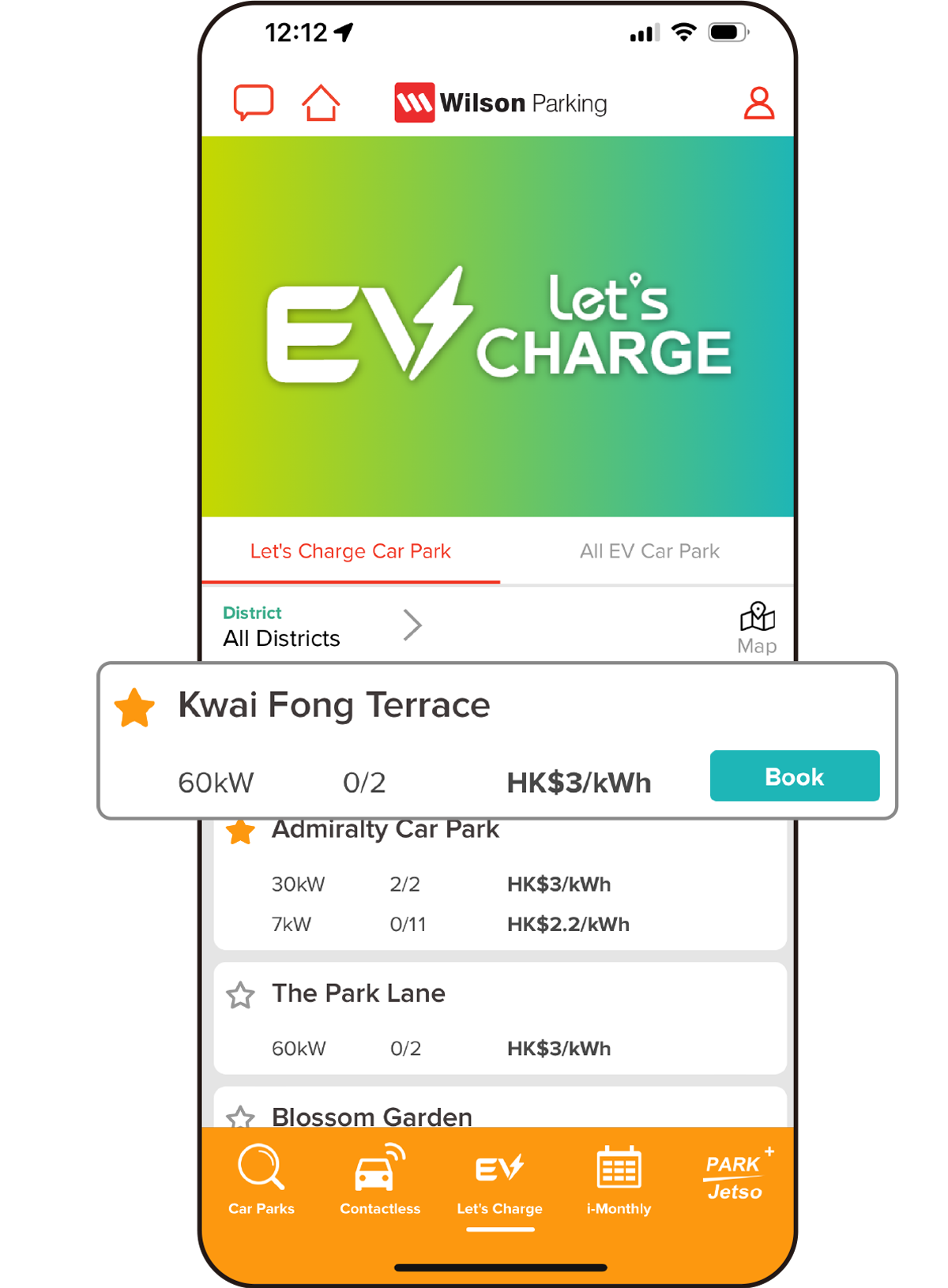
2) Select car park from the EV Let’s Charge Car Park List, tap “Book”.
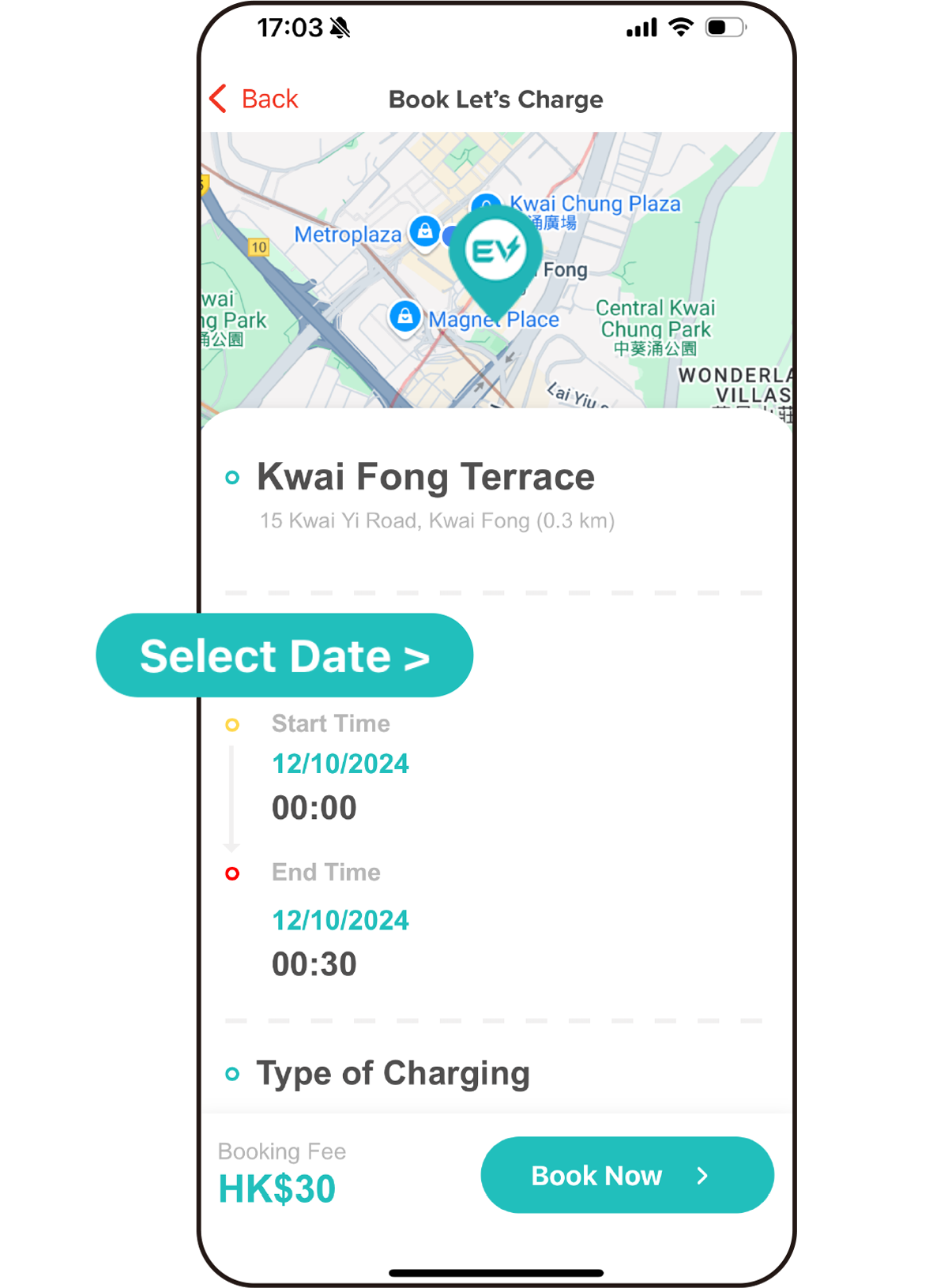
3) Tap “Select Date > ” to choose booking date and time.
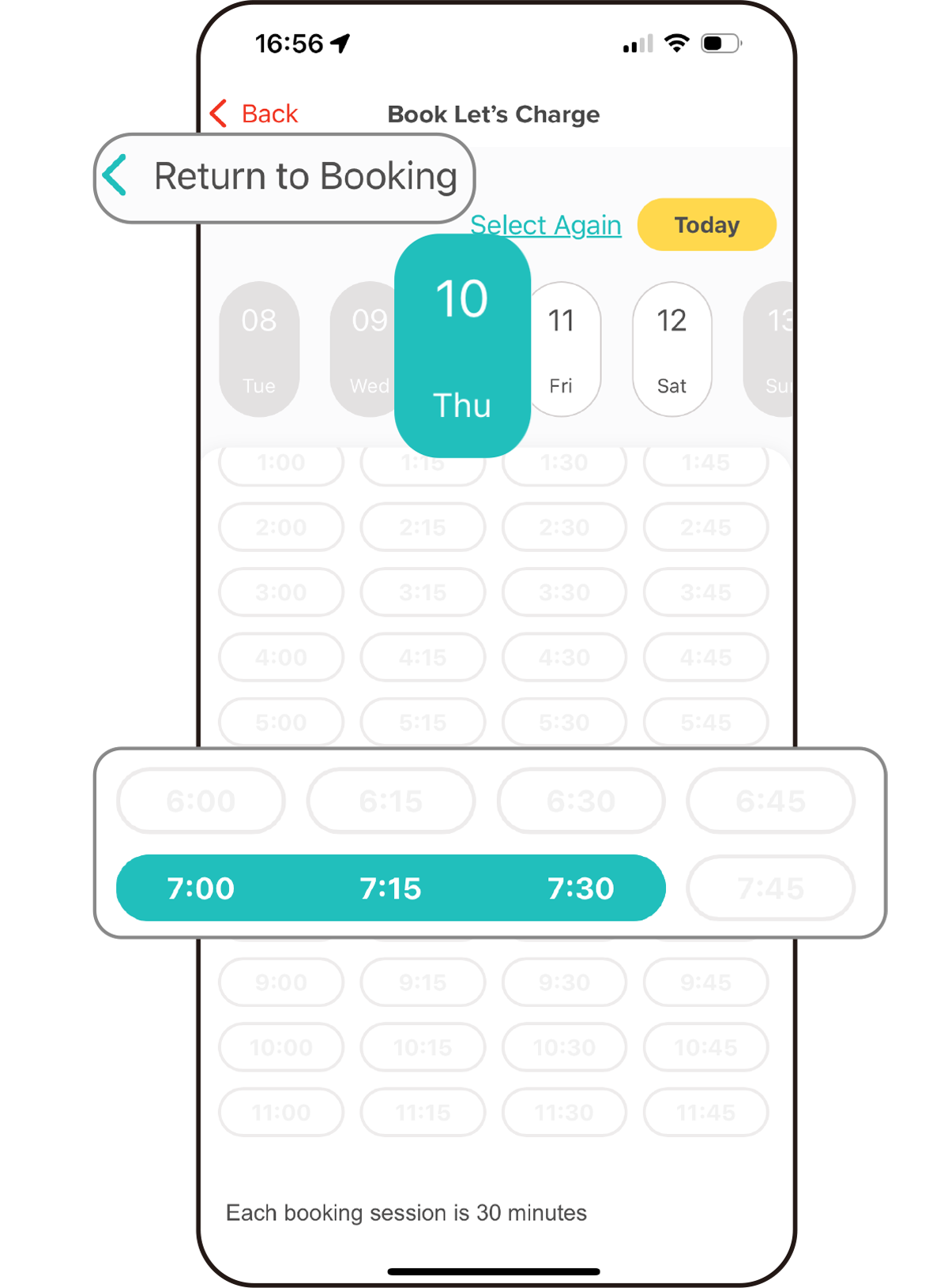
3.1) Tap "Return to Booking" after selecting the booking date and time.
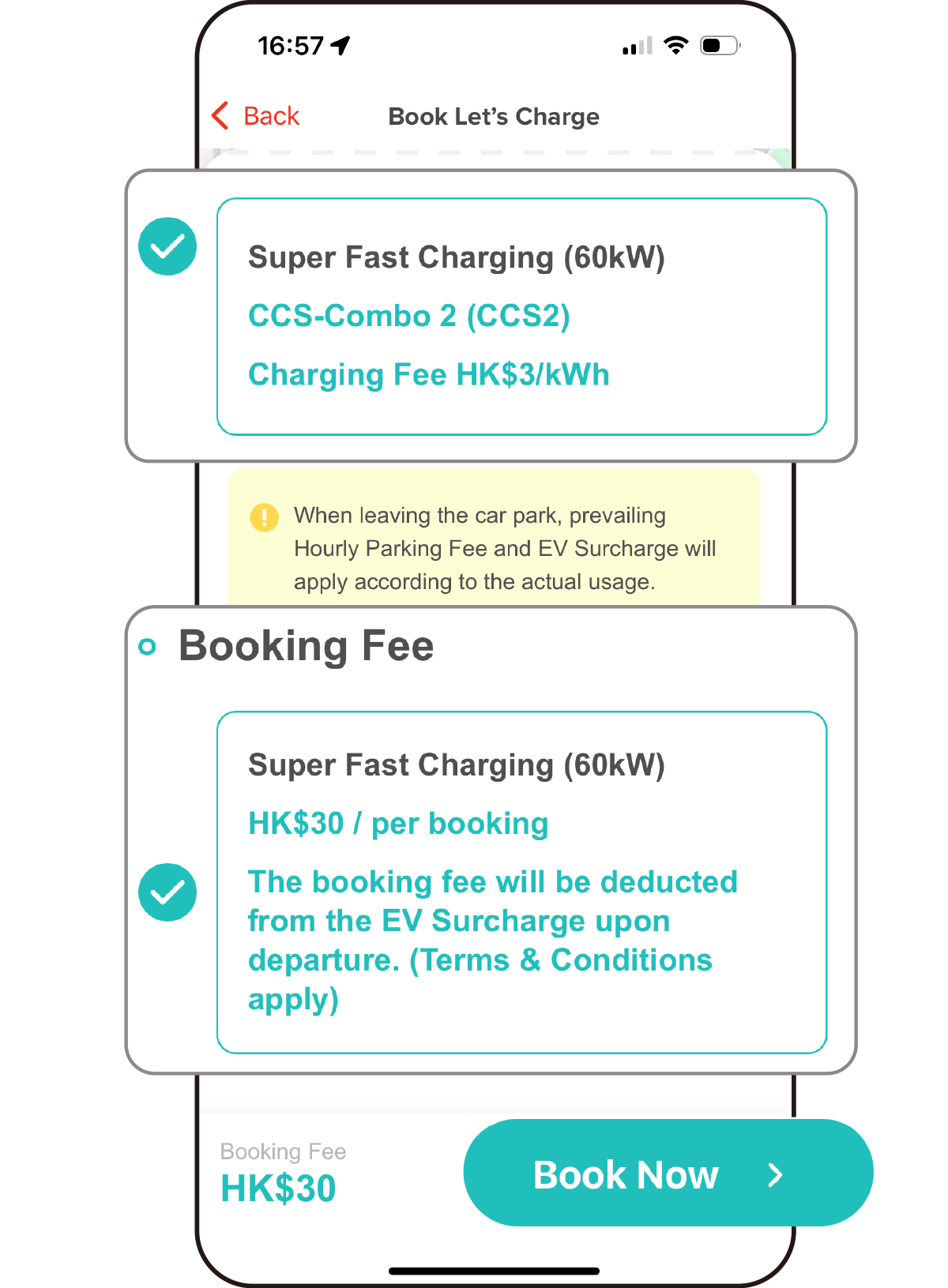
4) Select charging type and booking fee. Tap “Book Now”. Booking fee will be deducted from the EV Surcharge upon departure.
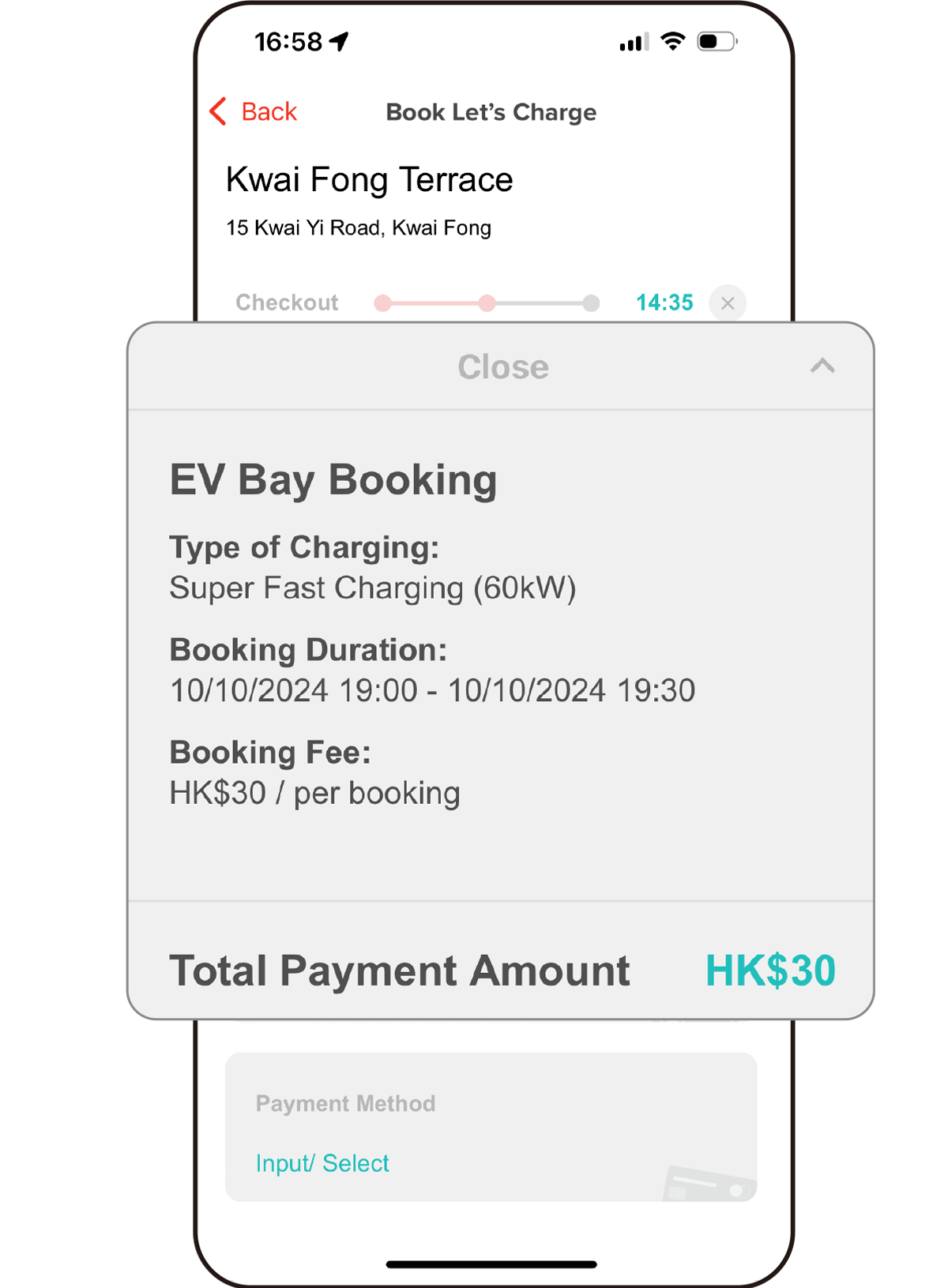
5) Review your booking details and total payment amount.
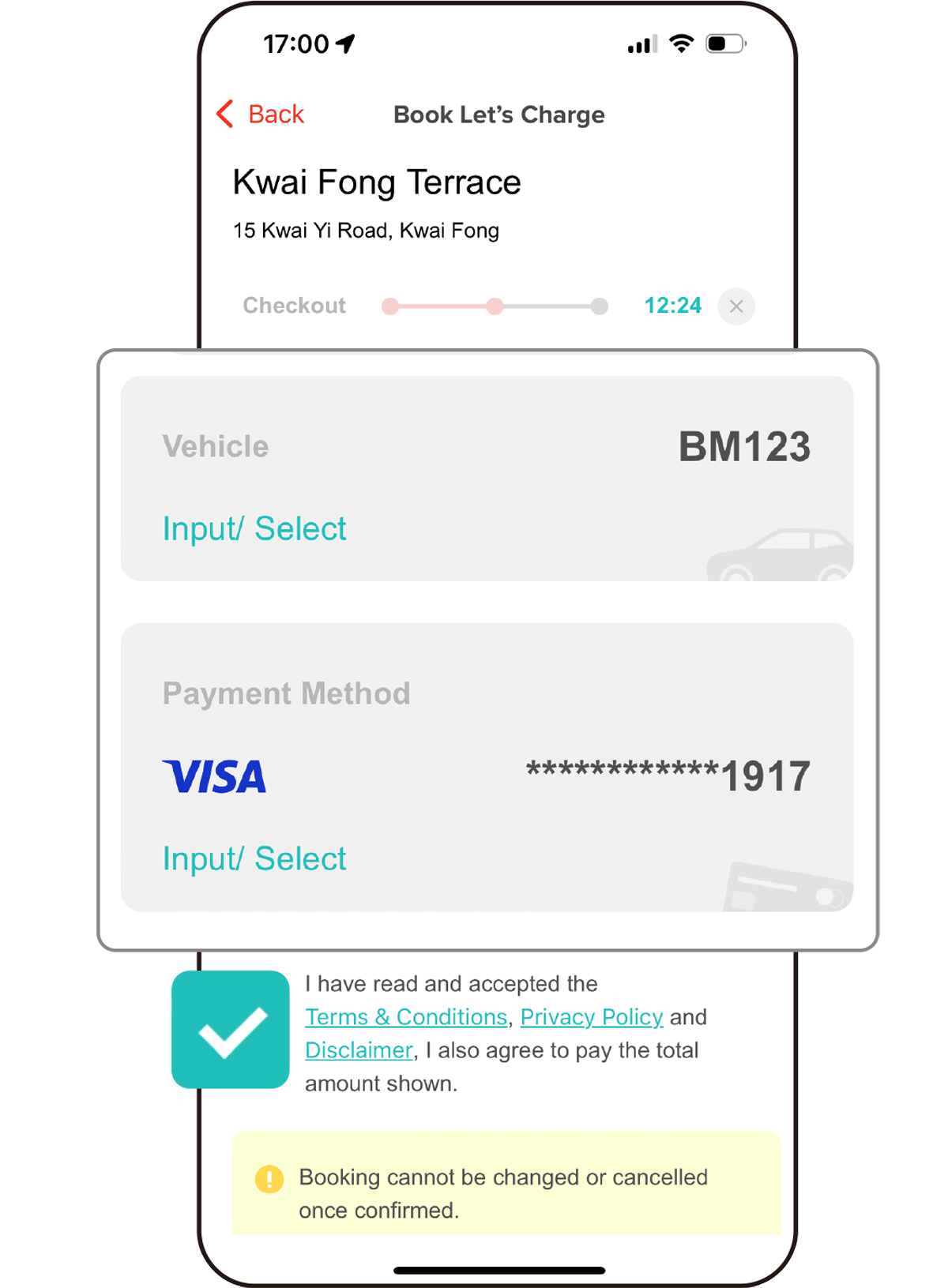
6) Input your licence plate number and credit card details. Read carefully and click to accept the relevant terms and conditions.
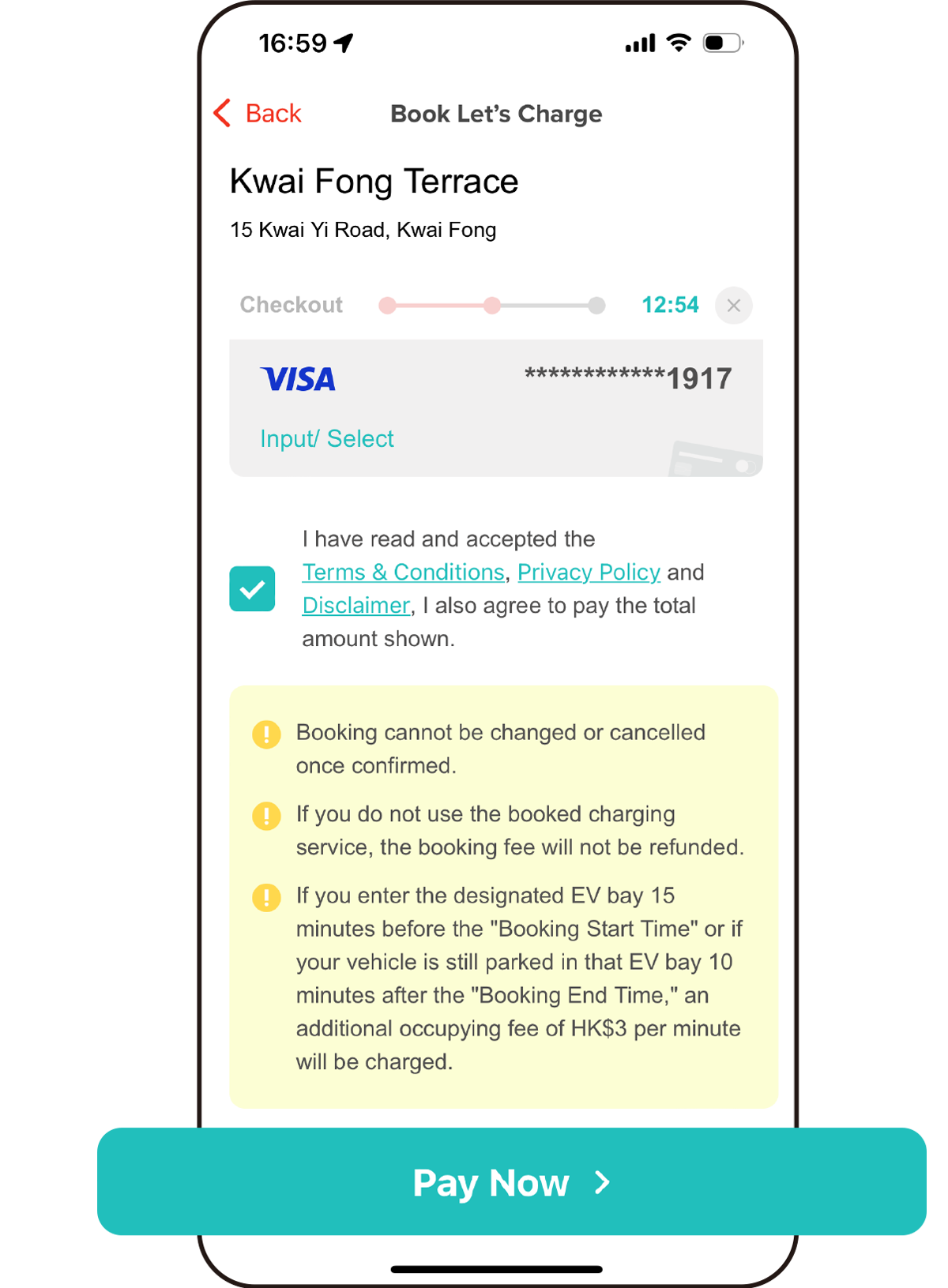
6.1) Tap "Pay Now".
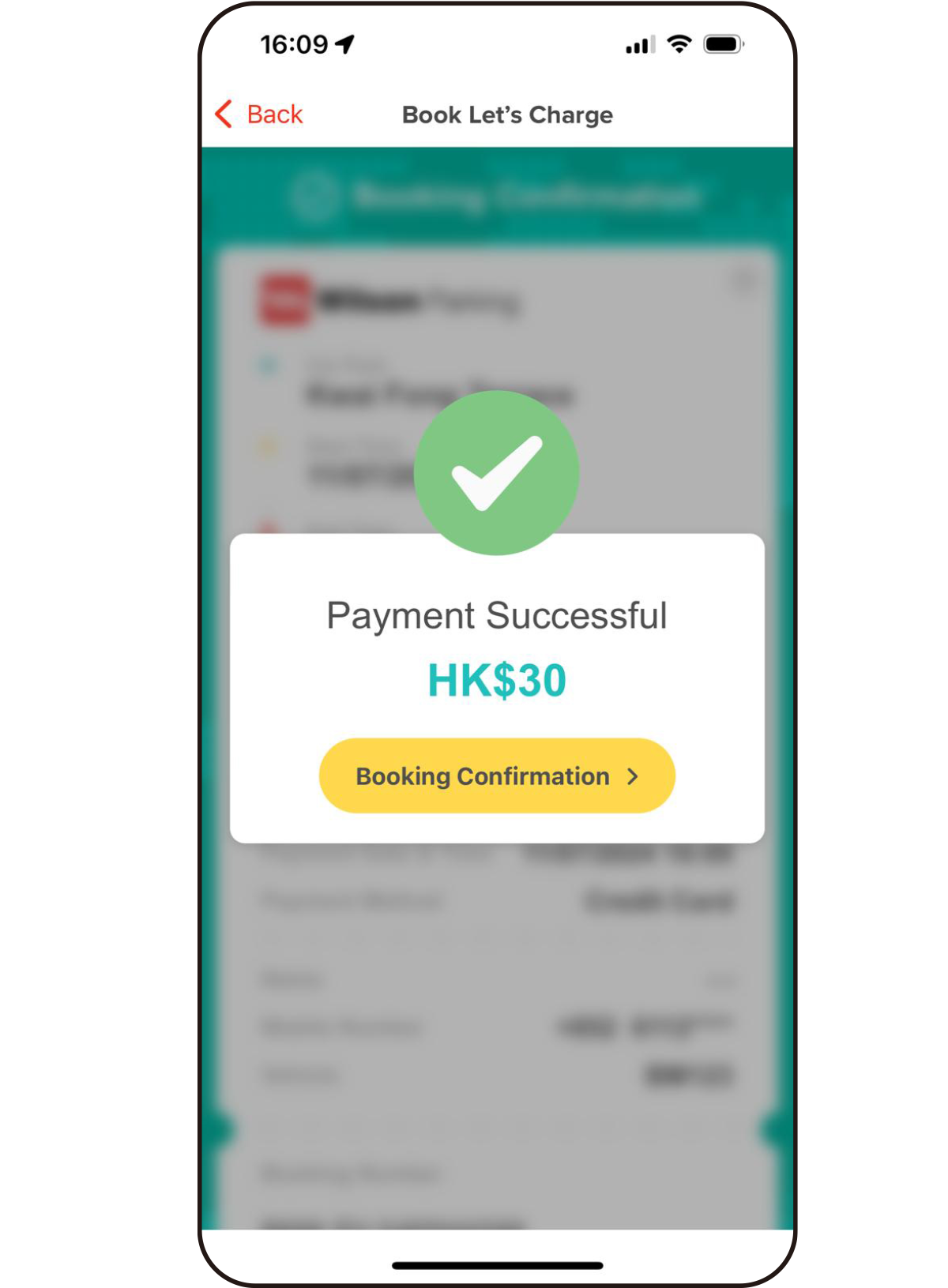
Booking Successful!
You can view the details of your booking by tapping "Booking Confirmation".
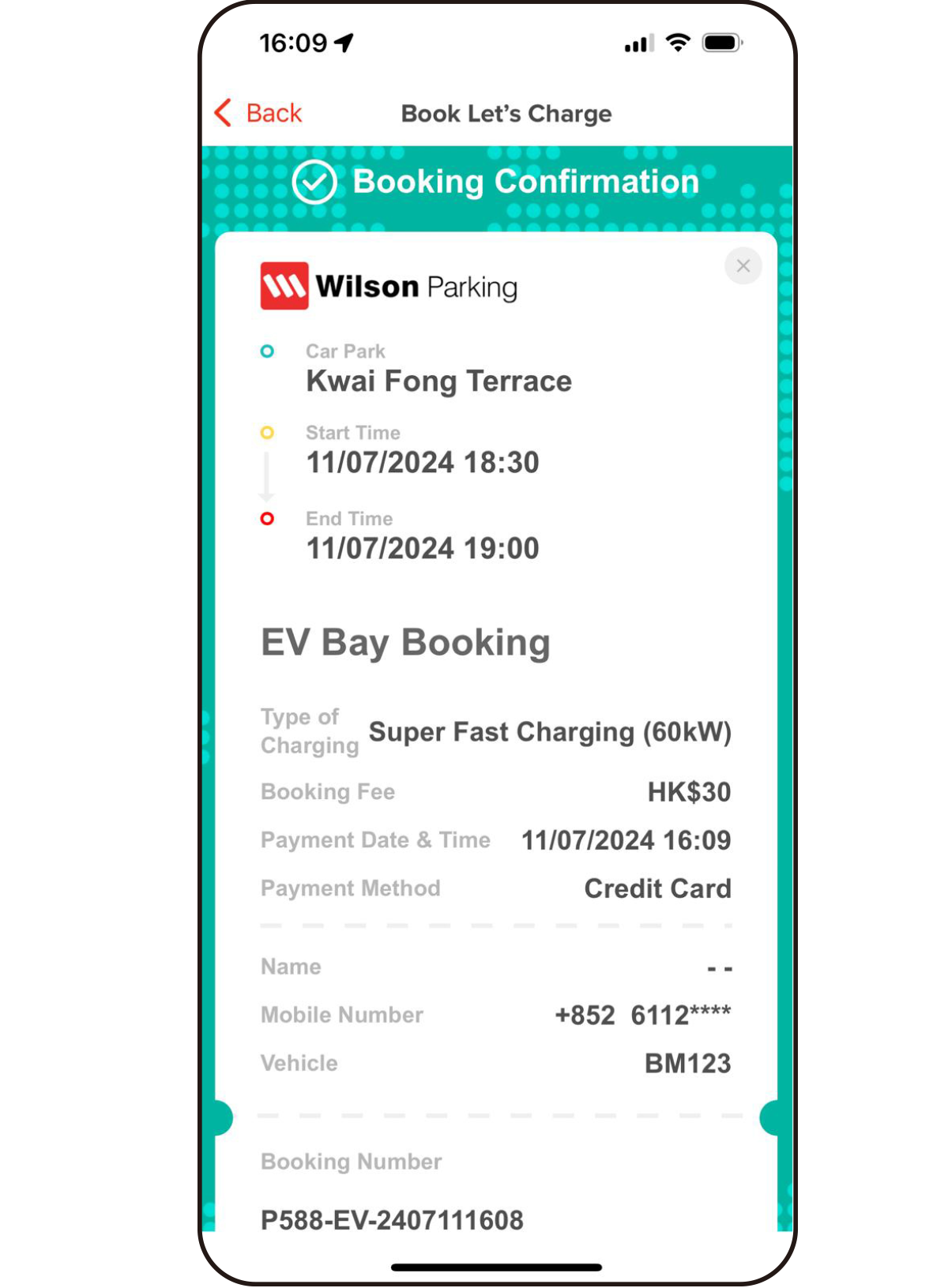
Booking Confirmation.
| We are here to help: Hotline 2830-3845 / Email [email protected] |